Showing posts with label Security. Show all posts

Friday, 20 February 2015

Microsoft Achieves Privacy Standard

Microsoft has achieved the globally recognized ISO/IEC 27018 privacy standard for Azure, Office 365, and Dynamics CRM Online. And here is the BSI certificate to prove it! These services are now aligned with the standard’s code of practice for the protection of Personally Identifiable Information (PII) in the public cloud.

Further Information

Announcement last Monday by Microsoft's General Counsel & Executive Vice President, Legal and Corporate Affairs, Brad Smith:
http://blogs.microsoft.com/on-the-issues/2015/02/16/microsoft-adopts-first-international-cloud-privacy-standard/
"With the Microsoft Cloud, you’re in control", he concludes, and it's hard to deny that's a step in a good direction.

Tuesday, 4 March 2014

Book Review: "Threat Modeling: Designing For Security"

Ben Rothke reviews Adam Shostack's new book:
"When it comes to measuring and communicating threats, perhaps the most ineffective example in recent memory was the Homeland Security Advisory System; which was a color-coded terrorism threat advisory scale. The system was rushed into use and its output of colors was not clear or intuitive. What exactly was the difference between levels such as high, guarded and elevated? From a threat perspective, which color was more severe — yellow or orange? Former DHS chairman Janet Napolitano even admitted that the color-coded system presented 'little practical information' to the public. While the DHS has never really provided meaningful threat levels, in Threat Modeling: Designing for Security, author Adam Shostack has done a remarkable job in detailing an approach that is both achievable and functional. More importantly, he details a system where organizations can obtain meaningful and actionable information, rather than vague color charts."
Full review:
http://books-beta.slashdot.org/story/14/03/02/1748257/book-review-threat-modeling-designing-for-security
Adam Shostack
Threat Modeling: Designing for Security
John Wiley & Sons
17 February 2014
ISBN-10: 1118809998
ISBN-13: 978-1118809990

Thursday, 14 February 2013

Claims Based Access Control

The previous article on Role Based Access Control described the IIdentity and IPrincipal implementations available with Microsoft .NET 1.0 through 4.0. Designed in 2002, these soon began to creak under the stress of increasingly distributed systems of rising complexity. With WCF in 2006, Microsoft provided another security model incompatible with the old one, and in 2009, succeeded in combining the best parts of these two implementations into WIF, and ultimately in 2012, into .NET 4.5.

IIdentity and IPrincipal Revisited

The new hotness was Claims Based Authorization. A System.Security.Claim is a statement about an entity, made by another entity known as the Issuer of the claim. The statement takes the form of a key/value pair, which is obviously much more powerful than the true/false settings used in Role Based. For example, Active Directory might issue claims that the current user is named "alice", is an administrator, has email address "alice@microsoft.com", and so on. We would treat these claims, coming from AD, with a high level of confidence.
public class Claim
{
  public virtual string Type { get; }
  public virtual string Value { get; }
  public virtual string Issuer { get; }
  // ...
}
We could set up claims using syntax like this:
var claim = new Claim("name", "alice");
However, recall that previously we found reasons (of localization and breaking admin changes) to avoid using literal labels to identify security resources such as groups. It turns out that we might also want to use the predefined members - essentially namespace URIs - of the ClaimTypes class, to ensure that our claims can be serialized, shared and understood across a federated identity space:
var claims = new List<Claim>
{
  new Claim(ClaimTypes.Name, "alice"),
  new Claim(ClaimTypes.Email, "alice@microsoft.com"),
  new Claim(ClaimTypes.Role, "Sales"),
  new Claim(ClaimTypes.Role, "Marketing")
};
ClaimsIdentity and ClaimsPrincipal

Obviously, claims can carry a lot more detailed information about an entity than roles. For excellent reasons of backward compatibility, claims were integrated into the existing IIdentity / IPrincipal framework through the creation of two new container classes:
public class ClaimsIdentity : IIdentity
{
  public virtual IEnumerable<Claim> Claims { get; }
  // ...
}

public class ClaimsPrincipal : IPrincipal
{
  public virtual IEnumerable<ClaimsIdentity> Identities { get; }
  // ...
}
Now we can set up Alice's principal like this:
var id = new ClaimsIdentity(claims, "Console App");
var user = new ClaimsPrincipal(id);
Thread.CurrentPrincipal = user;
The second parameter to the ClaimsIdentity constructor, authenticationType, is needed because, unlike the case with Role Based Identity, Claims Based Identity allows claims to be attached to e.g. anonymous principals. By default then, if authenticationType is not provided, IsAuthenticated will return false.

Backward Compatibility

Examining the framework source, it's interesting to note that every (non static) public in these new classes is virtual. That's because they have been "interposed" in .NET 4.5, so that all the implementation classes we looked at last time (WindowsIdentity / WindowsPrincipal, and GenericIdentity / GenericPrincipal) as well as those we didn't (e.g. FormsIdentity, RolePrincipal) are now derived from these common base classes. This design gives all consumer code access to the claims collection if desired, while still preserving the old interfaces (Name, IsInRole, etc).

The base classes implement the legacy security model with the help of the claims collection. For example, accessing the ClaimsIdentity.Name property causes this collection to be traversed, searching for an entry with type ClaimTypes.Name, while checking for a role is done by searching for ClaimTypes.Role entries.

Incidentally, both of these associations can be overridden using the supplied, overloaded, ClaimsIdentity constructors. So you can use these base classes to benefit from the power of the claims approach in your own custom implementation, while still retaining the flexibility of selecting which ClaimsType values you want the legacy support to treat as names and roles:
public class MyClaimsIdentity : ClaimsIdentity
{
  public MyClaimsIdentity(IEnumerable<Claim> claims, string authenticationType) :
    base(claims, authenticationType, ClaimTypes.Email, ClaimTypes.GroupSid)
  {
  }
}
In the above example, accessing the Name property will search for a claim of type Email (often used as the unique user identifier), while a call to IsInRole will search for a match within the groups to which the user belongs.

Consuming the Principal

To get access to the claims from runtime code, we simply retrieve the IPrincipal from the thread as before, and cast it to a ClaimsPrincipal. Alternatively, and equivalently, we can obtain it in a single step via the handy, static ClaimsPrincipal.Current property:
var user = ClaimsPrincipal.Current;
With this we can now run arbitrary LINQ queries on the Claims collection property, or take advantage of the special FindFirst, FindAll and HasClaim methods, all of which accept either string parameters or lambdas.
var email = user.FindFirst(ClaimTypes.Email).Value;
var adClaims = user.FindAll(claim => claim.Issuer == "AD AUTHORITY");
Credential Types and Transformations

.NET 4.5 boasts out-of-the-box support, via descendants of the SecurityTokenHandler class, for a wide range of industry standard authentication protocols, which it translates automatically to ClaimsPrincipal format. These include:
  • Windows (SPNEGO, Kerberos, NTLMSSP)
  • Forms authentication
  • basic HTTP authentication
  • SSL client certificates
  • WS-Security tokens
  • SAML
Incoming credentials arrive, are processed and transformed, and then delivered to your application in the "final" ClaimsPrincipal. This processing begins with an appropriate SecurityTokenHandler deserializing and validating the incoming token, from which it constructs the "initial" ClaimsPrincipal. This can then be further processed or transformed, for example to validate the incoming claims or translate security-domain groups into application-domain user permissions, via your custom ClaimsAuthenticationManager (to run the following sample code, add references to System.IdentityModel and System.Security):
public class MyClaimsTransformer : ClaimsAuthenticationManager
{
  public override ClaimsPrincipal Authenticate(
    string resourceName, ClaimsPrincipal oldPrincipal)
  {
    // Validate the supplied claims
    var name = oldPrincipal.Identity.Name;
    if (string.IsNullOrWhiteSpace(name))
      throw new SecurityException("User name is missing!");
    // Process claims
    var creditLimit = LookupCreditLimit(name);
    var newClaims = new List<Claim>
    {
      new Claim(ClaimTypes.Name, name),
      new Claim("http://myclaims/creditlimit", creditLimit.ToString())
    };
    // Create & return the new ClaimsPrincipal
    var newId = new ClaimsIdentity(newClaims, "Local");
    return new ClaimsPrincipal(newId);
  }
}
Obviously we have to find somewhere to tell the system to use our new custom ClaimsAuthenticationManager class, and the equally obvious place to do that is in the configuration file. There's a new "system.identityModel" section:
<configuration>
  <configSections>
    <section
      name="system.identityModel"
      type="System.IdentityModel.Configuration.SystemIdentityModelSection" />
  </configSections>
  <system.identityModel>
    <identityConfiguration>
      <claimsAuthenticationManager
        type="MyNamespace.MyClaimsTransformer, MyAssemblyName" />
    </identityConfiguration>
  </system.identityModel>
</configuration>
Finally, at the point in our application code where previously we would perform our ad hoc claims processing, polluting our beautiful domain code with extraneous user security permissions logic, we now have essentially this fixed one-liner (no, don't laugh):
Thread.CurrentPrincipal =
  FederatedAuthentication
  .FederationConfiguration
  .IdentityConfiguration
  .ClaimsAuthenticationManager
  .Authenticate(
    "none", // Can pass eg a URL resource for context
    new WindowsPrincipal(WindowsIdentity.GetCurrent()));
Next time: session management.

Tuesday, 12 February 2013

Role Based Access Control

This introduction to aspects of Identity and Access Control in Microsoft .NET 1.0 through 4.0 serves as groundwork for examination, in a later article, of the same issues in .NET 4.5. We start with two short interface declarations:

IIdentity and IPrincipal

These two interfaces first appeared in 2002, with the initial release of .NET 1.0 (and ASP.NET 1.0):
interface IIdentity
{
  bool IsAuthenticated { get; }
  string AuthenticationType { get; }
  string Name { get; }
}

interface IPrincipal
{
  IIdentity Identity { get; }
  bool IsInRole(string roleName);
}
For developers these interfaces abstract, and their implementing classes encapsulate, the most important features of identity-related concerns. IIdentity deals only with authentication: Name obviously identifies the user; AuthenticationType describes how that user became authenticated (e.g. via Windows Authentication or Kerberos, or some other custom mechanism); and IsAuthenticated indicates whether the user is actually authenticated at all (client-server apps sometimes allow anonymous users). IPrincipal extends this provision into the adjacent realm of authorization, by providing the single method IsInRole allowing the aggregated IIdentity to be interrogated at the first level of role-based access control granularity.

Thread.CurrentPrincipal

Not to be confused with the Win32 "thread token", this is a static property of the Thread class, giving access to the currently executing thread's IPrincipal implementation. So not strictly static then, as every thread in your system can have a different value of IPrincipal. More sort of thread-static. It is set up when the security context for a client is established, either by the startup code of a desktop app, or by some runtime in the case of an ASP.NET or WCF server app.

WindowsIdentity and WindowsPrincipal

When the AuthenticationType indicates Windows Authentication, these are the concrete System.Security.Principal classes used to wrap the Windows security token, encapsulating the Windows account of the current desktop app process (or of the client, in a client-server system):
// Get Windows account user name
var id = WindowsIdentity.GetCurrent();
var userName = id.Name;
// Check that user belongs to Builtin\Users
var principal = new WindowsPrincipal(id);
var isUser = principal.IsInRole(@"Builtin\Users");
Note that while this code works, it is not advisable to refer to user groups using strings. For one thing, the built-in group names are localized. For another, an administrator might change the name of a group, obviously breaking any hard-coded string based checks. For reasons like these, Windows internally uses not strings but immutable Security IDs (SIDs) to reference both users and groups:
var account = new NTAccount(userName);
Console.WriteLine(account); // MY-DOMAIN\johnk

var sid = account.Translate(typeof(SecurityIdentifier));
Console.WriteLine(sid); // S-1-5-21-29562463-4174942564-1615450050-1377

foreach (var group in id.Groups)
  Console.WriteLine(group.Translate(typeof(NTAccount)));
This last line prints the list of groups as human-readable strings, e.g.,
MY-DOMAIN\Domain Users
Everyone
BUILTIN\Users
NT AUTHORITY\INTERACTIVE
CONSOLE LOGON
NT AUTHORITY\Authenticated Users
NT AUTHORITY\This Organization
LOCAL
MY-DOMAIN\Local Group
MY-DOMAIN\Employment House
MY-DOMAIN\Development
Remove the Translate call to see the raw security IDs underlying your group names.

Returning to the earlier question about the interrogation of roles, we can now use the idea of a security identifier, together with the provided enumeration WellKnownSidType, to determine for example whether the current user is a local administrator:
var localAdmins = new SecurityIdentifier(
  WellKnownSidType.BuiltinAdministratorsSid, null);
Console.WriteLine(principal.IsInRole(localAdmins));
The second parameter to the above SecurityIdentifier constructor is itself a SID. As suggested by its parameter name domainSid, domains also have security IDs, and can be passed around as such when required. For example, to determine whether the user is a domain administrator, you have to supply the SID of the relevant domain, which in this case is the user's account domain:
var domainAdmins = new SecurityIdentifier(
  WellKnownSidType.BuiltinAdministratorsSid, id.User.AccountDomainSid);
Console.WriteLine(principal.IsInRole(domainAdmins));
Lastly, to answer the original question about whether the user is a member of the built-in users group,
var users = new SecurityIdentifier(
  WellKnownSidType.BuiltinUsersSid, null);
Console.WriteLine(principal.IsInRole(users));
UAC Reminder

Ah, yes. Do remember when interpreting these results client side, that the returned values respect User Account Control (UAC), enabled by default since Windows Vista. UAC prefers to run client processes without administrative privileges, unless instructed otherwise (e.g. by Run as Administrator).

GenericIdentity and GenericPrincipal

So much for the WindowsIdentity and WindowsPrincipal classes. These are ideal when your user list is stored in Windows itself, for example when you use Active Directory. But what if your user list is in some other repository, such as a SQL database?

Using the GenericIdentity and GenericPrincipal classes, you can manage user names and roles for yourself, persisting them in your own custom credential store, while still taking advantage of those very useful IIdentity and IPrincipal properties - and specifically, the IsInRole method. Using System.Threading, we have (assuming that Alice has previously supplied a correct password, or otherwise authenticated):
var id = new GenericIdentity("alice");
var roles = new[] { "Sales", "Marketing" }
var user = new GenericPrincipal(id, roles);
Thread.CurrentPrincipal = user;
This sets up the necessary principal for subsequent use. Later - say, during the execution of some other method on this thread - we might want to find out the current user name, and whether she is in Sales:
var user = Thread.CurrentPrincipal;
Console.WriteLine(user.Identity.Name); // alice
Console.WriteLine(user.IsInRole("Sales")); // True
Authorization and Roles

Whichever IIdentity and IPrincipal implementations we use, the mechanisms of role-based authorisation are the same. Here are four alternatives, from the imperative to the declarative, all of which resolve directly or eventually into IsInRole calls:
  1. make direct calls to Thread.CurrentPrincipal.IsInRole();
  2. assert System.Security.Permissions.PrincipalPermission demands;
  3. apply [PrincipalPermission] attributes to methods or classes;
  4. add <authorization /> elements to web.config.
Example 1 - coded tests:
if (user.IsInRole("Marketing"))
  DoSomeMarketing();
else
  AccessDenied();
Example 2 - security assertions in code:
// Throws a SecurityException if the assertion fails
new PrincipalPermission(null, "Marketing").Demand();
Example 3 - security assertions in attributes:
[PrincipalPermission(SecurityAction.Demand, Role = "Sales")]
[PrincipalPermission(SecurityAction.Demand, Role = "Marketing")]
private static void DoSomeSalesOrMarketing()
{
  // ...
}
Example 4 - <authorization /> elements in web.config:
<configuration>
   <system.web>
      <authorization>
         <allow roles="Sales,Marketing"/>
         <deny users="*"/>
      </authorization>
   </system.web>
</configuration>
Notice that options 1-3 above all have the disadvantage that the security model is hard coded throughout the source. Obviously, this can be very hard to maintain. Also in option 3, there is no simple, convenient and tidy way to hide these security assertions from the CLR, for example to run unit tests. These objections and many others have been addressed by the claims-based security authorization model introduced in .NET 4.5, which is the subject of the next article in this series.

Friday, 2 November 2012

VUPEN Pwns Windows 8 & IE10

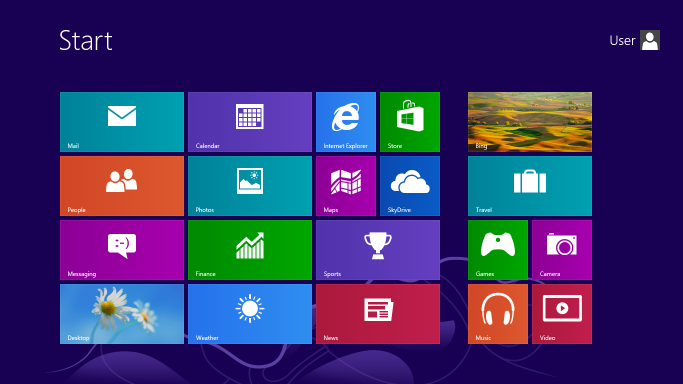
Windows 8 (used with permission from Microsoft)
Windows 8 is pwned. IE10 is pwned.

Yes, already. But you're unlikely to hear much in the way of detailed descriptions of the multiple, preexisting zero-day vulnerabilities chained together to effect these new ones. That's because their discoverer is essentially a black hat: the French security firm VUPEN.

With all the talk about cyber security, cyber wars, and preemptive legislation coming from ploiticos east and west, you might have thought that governments would be among the first, and most willing, to condemn and criminalize a company like VUPEN. This is an organization whose business model is to discover security holes in the products of giants like Microsoft, Google, or Apple, then rather than disclose these flaws for patching, sell the information to the highest bidder for use in arbitrary attacks.

Follow The Money

Patching would make everybody safer, and increase our confidence in the various devices and services we have to use every day, but it doesn't carry the same high financial rewards as selling your knowledge to whomever wants to exploit it most. Meanwhile, those governments we rely on to make the best choices for us, to legislate and protect us, yada yada... well it turns out, those are exactly the kind of people who most desire the ability to intercept, spy on, record, even to corrupt or otherwise modify, our communications, activities, and sundry interactions with others. And, of course, they have the resources to get themselves into that highest bidders' club.

So today, we learn that Microsoft's best, most advanced and up to date security features are broken. VUPEN is already advertising and selling malware kits offering the buyer exclusive access to everything on your Windows 8 machine. Worst of all, Microsoft will probably remain unable to patch these vulnerabilities, whose nature is so closely guarded by the baddies. On the other hand, that does limit the number of agents able to exploit these holes - you might see that as a kind of mitigation.

Hat tip: TheNextWeb

Tuesday, 2 October 2012

SCARB Does Security!

A Good End to the Day

Today I led SCARB, our internal Security Coding and Architecture Review Board, in a software security related meeting. As always seems to be the case, I found the agenda changing repeatedly up to and including half an hour before the start. Now that I think of it, in fact that agenda actually kept changing after the start of the meeting, too...

But that wasn't a bad thing! Thanks in part to the vagaries of the way these meetings are set up and run, we ended up with a larger than usual committee, and with representatives from across several different projects: Windows Forms, Web, and both; CQRS and relational; old and new. My presentation, detailing a good half dozen specific security related issues - and their mitigation - in one project, drew comments about the desirability of software and system security reviews in practice, and specifically mentioning the obvious advantages of starting such processes at the same time as the projects themselves.

People seem to particularly like concrete examples. Now, to obtain examples from your own code base, you have to have done a partial security review already. Which was in fact the case for us, at least with two of the projects concerned. Both had previously been taken into the stages of developing a data flow diagram of the system, and of identifying processes, data stores, data flows and the trust boundaries where the vulnerability categories must be investigated.

Now I know what I need to get buy-in, and push the review process further. More examples! SQL injection attacks that work and are demonstrable. XSS attacks, likewise. These can be taken from many resources available around the Internet, but I guess the closer to your own app in terms of applicability, the better. They'll also provide an excellent way of opening the mind to the plethora of attack vectors available to the attacker, encouraging the inclusive, brainstorming, "yes - and..." approach vital to the success of the review process.

And next time, we will have a game of cards.

Tuesday, 25 September 2012

Windows 8 Bootkit

UEFI Technology: Say Hello to the Windows 8 Bootkit!

Writing a bootkit couldn't be an easier task for virus writers with the UEFI framework available, much easier than before when they needed to code in pure assembly.
ITSEC director Marco Giuliani sounds less than impressed by the security of the Windows 8 kernel, specifically its porting of the legacy BIOS firmware and Master Boot Record (MBR) into the new Unified Extensible Firmware Interface (UEFI), first fully supported by Microsoft in 64-bit Windows 7. Here he is referring to the fact that UEFI provides a C development environment option, whereas assembly language skills were mandatory for VXers in BIOS days.
http://www.itsec.it/2012/09/18/uefi-technology-say-hello-to-the-windows-8-bootkit/
This isn't the first Windows 8 bootkit to emerge. Last year, Vienna-based Peter Kleissner's Stoned and Stoned Lite proved the concept of loading boot malware from a USB or CD drive on older machines, However these kits didn't circumvent the UEFI. Now this has been shown to be trivial, the only remaining line of defence is to enable SecureBoot by default - an option which many critics complain could limit or even prevent the installation of such alternatives as Linux and FreeBSD.

Monday, 27 August 2012

Two-Factor Authentication Example: Dropbox

Update: LifeHacker has a list of places where two-factor authentication is currently available as an option.

I'd Go for the App

Generally less accurately referred to as Two-Step Authentication, the principle of Two Factor Authentication demands the production of two or more out of a set of three authentication factor categories:
  1. A knowledge factor - something you know;
  2. A possession factor - something you have; and
  3. An inherence factor - something you are.
Inherence being problematic - as can be appreciated from consideration of the archetypal examples of fingerprints, voice prints, and iris scans, and in particular their potential vulnerability to replay attacks - it has become common for two-factor systems to employ the ubiquitous mobile phone as the thing the user has, in combination with various little bits of secret information that the user knows.

One of the first two-factor systems to gain popularity was Google's Authenticator app (an open source project) on these platforms:
  • Android 2.1 or later;
  • iPhone iOS 3.1.3 or later; and
  • BlackBerry OS 4.5 - 6.0.
Primarily covering GMail, this system now extends to all other Google Apps, and can be enabled in any third party app using the PAM Module. The first factor comprises your traditional combination of user name and password. Then, the mobile Authenticator application prompts you for an auto-generated verification code.

Now On Dropbox

Anyway, not to bury the lede, Dropbox - perhaps in response to last month's spammage, enabled by a Dropbox employee who had re-used his or her password at another, previously hacked site, resulting in the exposure of many users' email addresses - now offers such a system. Look under the Security tab, in the section labelled Account sign in, for the so-called Two-step verification setting.

Two options are provided for acquiring the new verification code. The first is a simple text message to your mobile phone. This is the easier of the two, but it also introduces a new potential vulnerability. Attackers can use social engineering against your phone provider to have your messages forwarded to another account. This exploit has in fact been documented several times against Google's two-factor system, e.g. at CloudFlare in May of this year.

So yeah, I'd definitely go for option 2, which is to use one of the following mobile apps to generate a unique time-sensitive security code with the help of the standard Time-based One-Time Password (TOTP) algorithm:
You may select either to scan a displayed bar code / QR Code, where supported, or to enter your secret key manually. Note that most apps will still generate the required security codes even when the cellular network or other data service is unavailable, such as when travelling or where coverage is unreliable.

Hat tip: Brian Krebs, as is so often the case!

Wednesday, 22 August 2012

Security (Link) Clearance - August 2012

Another small selection of interesting stories from recent security blogs.


Why passwords have never been weaker - and crackers have never been stronger.

Over at Ars Technica, Dan Goodin explains why, thanks to real-world data, the keys to your digital kingdom are under assault:

http://arstechnica.com/security/2012/08/passwords-under-assault/


The iPhone Has Passed a Key Security Threshold

So thinks Technology Review contributing editor Simson L. Garfinkel:

Does society really want extremely private mobile devices if they make life easier for criminals? Apple's newly toughened standards sharpen the focus on that question.

http://www.technologyreview.com/news/428477/the-iphone-has-passed-a-key-security-threshold/


Is iPhone Security Really this Good?

Meanwhile, Bruce Schneier has his own perspective on that assertion:

Yes, I believe that full-disk encryption -- whether Apple's FileVault or Microsoft's BitLocker (I don't know what the iOS system is called) -- is good; but its security is only as good as the user is at choosing a good password.

http://www.schneier.com/blog/archives/2012/08/is_iphone_secur.html


Triple DDoS vs. KrebsOnSecurity

With the best security blog of them all, it's unsurprising that Brian Krebs continues to attract the ire and DDoS arrows of the spambot kings:

According to Prolexic, the one used against KrebsOnSecurity.com was Attack Type 4, a.k.a “Max Flood”; this method carries a fairly unique signature of issuing POST requests against a server that are over a million bytes in length.

http://krebsonsecurity.com/2012/08/triple-ddos-vs-krebsonsecurity/


There ya go.

Sunday, 29 July 2012

Happy Birthday (3) To Me

This Little Blog is Three

Three years behind the masthead. Macro blogging is officially dead, social media in the ascendancy, and still I won't roll down the shutters and scarper. What the hell is wrong with me!

Targets

I can only think it must be love. So then, how's my blogging frequency been holding up? At the 2009 outset, declared goals were:
  • two posts per week, on average;
  • half of those technical, half not;
  • half of the technical posts to be security related.
Once again, the answer is: not bad, could do a little better. Having just escaped Facebook on the second attempt, I can look back and see how some of minor comments I've made there, for example last year's broken links to toasted cheese or mismatched shoes, might otherwise have grown into short blog posts. So the Zuckster must accept at least part of the blame for those.

Unpopularity Analytic

About 1,500 page views per month, last time I checked. Low enough to avoid most comment spammers, but just high enough to retain my interest.

As for the blog's original motivation, namely the introduction of security related software development, that's been superseded by the formation of something called a SCARB group in our (new, extended, all-inclusive and thoroughly democratic) Development Department. When the Security subcommittee (that's me and my pals, the "S" of the group moniker) enters a less dormant phase, this little blog will be one of the first to know.

Previously:
Happy Birthday To Me
Happy Birthday (2) To Me
Birthday candles courtesy of Wikipedia.

Wednesday, 25 July 2012

Book Review: Liars & Outliers

Enabling the Trust that Society Needs to Thrive

A favourite blog was noticeably subdued of late, while the inestimable Bruce Schneier put his finishing touches to his latest tome. No sooner was he done, however, than all of my favourite blogs burst out with news, reviews, and other expositions about it. Resolved to buy a copy, maybe on Kindle, I nevertheless put in a book request to my manager, and was in due course pleasantly surprised by the hardback landing on my desk.

Surprised? Well, I was unsure whether it would qualify for purchase. It's not a technical book, although it does cover many technical issues we have to deal with in daily business. It's not about programming, or not exclusively so. What it is, is a thorough investigation into the nature of trust within society. Or in other words, into the nature of of civilisation: how it works, and why it doesn't. How indispensable and deeply reaching is trust. How, why, when and where we depend upon it. How our essential systems can be designed to guarantee it. As ever, Bruce's approach to each little corner of the subject matter is almost rigorously scientific, being relatively free from hand waving and equivocation, and as evidence-based as he can diligently achieve.

After an overview, declaring the primary aims of the book, and containing an excellent diagram of the formal terms used (societal dilemma being a central one) and their relationships, the remainder of the book consists of four main sections.

Part I: The Science of Trust

This deals with the various research fields comprising the "background" sciences of the book: experimental and evolutionary psychology, biology, neuroscience, economics, the mathematics of game theory, computer security, and so on. Chapter three will be particularly familiar territory if you've ever studied evolutionary perspectives on behaviour, such as sociobiology. This is followed by a historical view of sociology and societal scaling, then by a return to game theory for an examination of societal dilemmas and the nature of conflict.

Part II: A Model of Trust

This is the most intensely argued and analytically comprehensive section of the book, and it might take more than one reading here and there to follow the workings of the "Model" presented. Clearly this is an exposition of the central concept that inspired the whole work. Various pressures are considered both in isolation and in concert: moral and institutional stresses, considerations of reputation, and the limits imposed by security systems. Schneier's goal is to get you to hold all of these simultaneously in your conception, tracing the interconnections and interplay between them.

In chapter 9, Institutional Pressures, Schneier examines the threats facing modern society. Acknowledging that one of the biggest perceived threats is terrorism, he astutely reminds us we can never ensure perfect security against this. Arguing that America's TSA budget should be measured in the millions, not billions of dollars, he observes that talk of terrorism as an "existential threat" to society is complete rubbish. While terrorism remains sufficiently rare, which it is; and while the vast majority of people survive, which they do; society itself will continue to survive. Yet while this observation remains unarguable, politically it is impossible for our leaders to speak it.

Part III: The Real World

In the second half of the book Schneier describes real world Organisations, Corporations and Institutions, illustrating how the competing interests of these bodies lead to evolution and resolution in certain real world situations. A recurring theme is fishing, which at all levels has rules and quotas adhered to by the majority, but offering considerable profits and a low risk of getting caught to the minority of cheats.

Part IV: Conclusions

To be frank, you could say that there are very few actual conclusions in the book itself. In the chapter on Technology, Schneier proposes a set of design principles for effective societal pressures, one of the key points of the book. But more often, he provides us rather with information, with the background to understand and make sense of that information, and with the grounding in a refreshing number of academic and scientific disciplines that we can exploit to build confidence in our own conclusions, which we are encouraged to reach independently.

In so doing, you're certain find the scope of input presented here quite breathtaking.

Bruce Schneier
Liars and Outliers: Enabling the Trust That Society Needs to Thrive
John Wiley & Sons
17 Feb 2012
ISBN-10: 1118143302
ISBN-13: 978-1118143308

Wednesday, 20 June 2012

Building DevExpress Sources

How to Build DevExpress DLLs for Debugging

This article is your 10-step guide explaining how to build a debug version of the DevExpress component assemblies from their supplied source code. My recent experiences force me to say, wonderful component suite, but their instructions on this particular activity fall a little short of being self-explanatory!

1. Get the Zip

First go here:
http://www.devexpress.com/Support/Center/p/A609.aspx
Pick up the Attachment version relevant to the target DevExpress DLLs version. If it's not listed, request it, go home, and come back next day.

Notice the file PublicKeyToken.txt, which we'll be using later. Actually that's the only, paper-thin justification for this article's Security tag...

2. Check DEFINES.BAT

Follow the first couple of instructions in the Attachment's README.TXT file: copying all the files from its folder or Zip archive into your DevExpress Components Sources folder, and then checking the content of DEFINES.BAT. Note from the location of this file, that should you have to edit it, you will probably have to do so using e.g. Notepad Run as Administrator. Verify in particular the specific version of Studio you are using (vsver), the GAC path(s), and the locations of the correct sn, gacutil and MSBuild executables.

3. Edit the Supplied Batch Files

You're going to want to Run as Administrator the DevExpress source building scripts, CLEAR.BAT and BUILDALL.CMD, following the directions in the associated README.TXT file. But before you do, note that since the files CLEAR.BAT and BUILDALL.CMD will probably have to be Run as Administrator, their default current directory will be something like C:\Windows\system32. We need them to be running instead in the DevExpress source folder, and one way to achieve that is to edit these files so they look a bit like this:
REM @echo off
C:
CD \Program Files (x86)\DevExpress 2009.2\Components\Sources
call defines.bat
and so on. However, note also from the location of these files that you will probably have to edit them using e.g. Notepad Run as Administrator.

4. Build the DevExpress DLLs from Source

Okay, so now Run (as Administrator) your edited CLEAR.BAT and BUILDALL.CMD. Obviously you can safely ignore any generated error messages that relate to software components you haven't installed (CompactFramework, LightSwitch, SharePoint, SilverLight, etc).

5. Create Toolbox

If your target version of DevExpress supports it, now is the time to run the ToolboxCreator utility. How will you know if it's required? Well, if it's in the Start menu for your version of DevExpress, e.g.
Start / All Programs / Developer Express v2009 vol 2 / Components / Tools / ToolboxCreator
then it's required, and you should run it. Whereas if it's not, then it's not, and you shouldn't.

6. Copy New DLLs to Local Folder

Before proceeding to run ProjectConverter, if your third party component binaries are under version control as an External, you'll probably want to copy the newly compiled DevExpress DLLs from whichever output folder they've just been built into, e.g.
C:\Program Files (x86)\DevExpress 2009.2\Components\Sources\DevExpress.DLL
- or -
C:\Program Files (x86)\DXperience 12.1\Bin\Framework
to their local destination, e.g. MyProject\ThirdPartyComponents\Developer Express\DLL, or whatever.

7. Convert Projects

The devExpress README.TXT gives a command line for running the Project Converter utility. I prefer to omit the parameters and use the interactive graphical UI version. However that's not always possible, as earlier versions of the converter don't have the Advanced options UI letting you specify the new Public Key (PK). Be aware that the command line version, if provided with a Project Path, will start conversion immediately, without giving you a chance to adjust any of the other parameters. Either way, be sure to make all of the following settings correctly:
  • Your Project Path(s);
  • HintPath behaviour (I normally use Update rather than Remove);
  • The new PK value (this should be available in the aforementioned file PublicKeyToken.txt).
Inspect any errors in the log output by the conversion process and decide whether or not you care enough about them to start again from Step 1 and be more careful!

8. Check Post Build Events

One subject easily forgotten during this process is the area of post build events in your own project code. These are often used to consolidate the outputs of multi-project or multi-solution systems into a final staging or deployment folder, and in particular, to ensure that all third party assemblies are copied efficiently, i.e., once only. For this reason, the events you are likely to have to care about are those associated with your main exe or web app projects: clients, services, data portals, auxiliary apps and so on.

The aim of this step is to ensure that all DevExpress references end up pointing to the same third party component assemblies folder.

9. Clean Project Output Folders

Again, the aim of this step is to ensure there are no remnant, pre-source-build versions of the DevExpress libraries visible to the compiler. Prior to compiling your code, be sure to delete all bin, obj, Output and/or Run folders generated during your build process, to ensure a clean result.

10. Build Your Solution(s)

And we're done! Get back into Visual Studio and check that you can step through the DevExpress source code, see it in the Call Stack, and enjoy all of its sourcey goodness. Or failing that, consult the troubleshooting section of README.TXT, or the DevExpress Support Centre, Knowledge Base and Forum.

11. Reversion

As described in the Attachment's README.TXT file, you can revert to the installed DevExpress binaries by running the installer in Repair mode. This is essentially the undo of Step 4 above, so to complete the process you will possibly want to follow this with steps 5-10. Alternatively, you might just restore your entire solution image(s) from version control.

Monday, 11 June 2012

More Than One Type of Hash

Oh No Not Again

Why does it seem that we still continue to read about millions of passwords / user credentials being stolen on such a regular basis, almost a quarter century after that famous and oft-cited Unix password security study? This past week has seen three separate large scale breach scares at LinkedIn, eHarmony and Last.fm. Users are being told to change their passwords immediately.

But that only protects the service provider against intrusion and accusations of laxity. On its own it does nothing to protect the user, whose new password can presumably be obtained just as readily, and whose old one may well be tied to more sensitive accounts e.g. at their bank or on line shopping stores. And more specifically in cases such as these, why is there so much panic anyway over the theft of password hashes, i.e. the encrypted versions of the users' passwords, rather than the passwords themselves? Aren't these hashes supposed to be designed for safe transmission in the clear?

Monkey Wrench

Yes and no. And mostly, no. The crucial point here is the distinction between a cryptographic hash and a password hash. The former is designed to be applied to content. As such, it carries a core requirement of fast decryption. Lightning fast in fact, as in: every IP packet arriving at a node must be decrypted quickly and on-the-fly, so as to generate no discernible latency to router traffic. Password hashes start from the exactly opposite requirement: maximal difficulty of decryption.

It matters little to a typical website user if their daily log in takes a full tenth of a second to authenticate. It matters a lot more to an attacker, who must try billions or trillions of alternatives to achieve a single successful break in. So it's not just a case of choosing between MD5 (feeble), SHA-1 (better, but still broken) and SHA-512/384 (no known collision attacks), or of adding a little salt. To arrive at a secure password hash, typically you would first select your atomic encryption algorithm, and then apply it a few thousand times.

Must Try Harder

So why do most providers use a cryptographic hash to do the job of a password hash? Most of the time this is allowed to happen because the developers in charge of a site's security are general practitioners, rather than security specialists. To them, any tool with encryption in its name is as good as any other.

This is a general problem of a lack of knowledge in the field. Developers have been successfully dissuaded from building their own cryptographic systems, being taught instead to rely on proven off-the-shelf solutions. And that's undeniably a great deal of progress, given the potential scope for devastating errors. Now, this community needs also to learn that different kinds of cryptographic solutions are available, for different jobs.

For a more extensive treatment of this subject, see Brian Krebs's recent interview with Matasano Security researcher Thomas H. Ptacek: http://krebsonsecurity.com/2012/06/how-companies-can-beef-up-password-security/.

Sunday, 18 March 2012

SharePoint "Vulnerable by Default"

Even the Scroll Bar Can't be Trusted

Here's how to steal sensitive information from users of either SharePoint or LinkedIn, via their web browser.

The method, known as frame sniffing, is unlike a conventional SQL Injection or cross-site scripting (XSS) attack, in that no code need be injected into the site. Instead, a target website crafted within the attacker's malicious webpage is simply loaded into a hidden HTML frame, once the CMS user is tricked into browsing to that page by any of the usual, socially-engineered means (e.g., spam email). As long as the user then keeps that tab open, the attacker can frame-sniff, for example running SharePoint searches exactly like an authorised user.

Paul Stone & Jacobo Ros describe the vulnerability in their video, and present some sample exploits, including a proof of concept that you can run for yourself, at the Context Information Security site:

http://www.contextis.com/research/blog/framesniffing/

Surprisingly, the attack works because often the default configuration of the CMS omits to secure against browsers which allow framing. The approach bypasses browser security restrictions intended to prevent webpages directly reading the contents of third-party sites loaded in frames. At the time of writing, only Mozilla Firefox has been updated to prevent frame sniffing.

Installations that are vulnerable by default include SharePoint 2007 and 2010. The vulnerability is easily stomped by tweaking the X-Frame-Options, forcing browsers to disallow framing on critical configuration server pages, or other pages that require an “authentic user click” - as previously described by Microsoft's Eric Law in his (two year old!) IEInternals article, Combating ClickJacking With X-Frame-Options. Obviously, since this setting will prevent SharePoint from being framed, it might break your installation, for example if you have another intranet app using SharePoint via a frame.

Good news: Microsoft have stated that the X-Frame options should be correctly set in the next version of SharePoint. Bad: at the time of writing, LinkedIn have yet to respond to Context's vulnerability report.

Tuesday, 21 February 2012

Help Find Ulf's Murderers

In January Adam Shostack, famous hereabouts for the SDL card game Elevation of Privilege, wrote about the murder of his Zero-Knowledge Systems colleague (pictured right) Ulf Möller (link to original Bild.de report, in German).

Yesterday, Adam wrote again about the case, pointing to a website created by Ulf's family containing several good quality surveillance camera photographs of his murderers (pictured below), explaining the background to the case (in English, German, Polish and Lithuanian), and asking everyone to help find the killers, and spread the word:
The two men are described as slim, both about 1.75 m to 1.80 m tall, between 20 and 30 years old. One of them was wearing a dark jacket with a fur-like hood. The surveillance cameras took clear pictures of his face. The other killer was wearing a noticeable light blue quilted Nike-brand jacket.

We are grateful for any help in finding the murderers. Clues can be reported to the German police (Polizeidirektion Sachsen-Anhalt Ost, who are leading the investigation) by calling +49 340 6000 293, by sending e-mail to lfz.pd-ost@polizei.sachsen-anhalt.de, or by visiting any German police station. If you prefer, you can email us directly at mail.ulfm@googlemail.com.

Friday, 10 February 2012

How to Steal a Google Wallet

Just Press Reset

This "quite significant security flaw" isn't new, but it is news, having received a bit of a boost in various blogs in recent days - oddly enough, because of the emergence of yesterday's much harder (and so less urgent) brute-force attack on the same PIN. Last December Evangelion01, posting on the xda-developers forum, drew attention to the following weakness in Google Wallet:
  1. Go into application settings.
  2. Clear data for Google wallet.
  3. Open wallet and set it back up.
  4. Everything remaining on your Google prepaid card can now be used.


This succeeds because Google Wallet stores your card details not in the phone's file system, but safely on the Secure Element. They are therefore unaffected by resetting the application data. However, your PIN is just stored in a file, so it does get wiped. Next time you run it, Google Wallet looks for the missing data, and concludes that it's being run for the very first time. Since Google Wallet is tied to the device itself, rather than to your Google account, it simply asks you to set a new PIN. All you have to do now is think of a number, and...

Bingo! When it next needs a prepaid card, it will find one already present on the Secure Element, and start using it.

There are a few obvious mitigations. First you have to steal an un-screenlocked phone. And not just any phone: it has to be a Samsung Henstooth, with wallet installed, activated, and using prepaid credit. So in that sense, Google Wallet is no more insecure than any other wallet - a little better in fact. Still, it's quite surprising that such a vulnerability should be allowed to get this far.

Update: they've finally fixed it.

Saturday, 28 January 2012

On International Data Privacy Day

Europe to Google

Really, Google? You're getting rid of over 60 different privacy policies and replacing them with one that's a lot shorter and easier to read? Gee, thanks for doing that! I do have trouble with anything requiring an adult's attention span. What's that, your new policy covers multiple products and features, reflecting your desire to create one beautifully simple and intuitive experience? Terrific! You believe this stuff matters? Well that's great, just great.

First of all: why oh why, in the name of all that's hairy (and private); why did you ever send this notification to my Sky Mail account? I know you provide their service; but you know, that only makes them, not me, your customer. My contract is with Sky. They carry a privacy policy, to which I've agreed. Your opinions were neither sought nor welcome, and your policy (or policies) has (or have) no dominion over me there.

Secondly: do you never learn? You killed the much over-hyped Google Buzz in 2010 by deliberately implementing and obscuring such default privacy settings as would shame Facebook. You just killed off any last chance of social network success, by enforcing your account naming policy in Google+ (latest feeble "concessions" notwithstanding). Now you impose, without an opt-out, this unification of accounts across all Google services. What makes you think that I will continue to want to entrust any of my business correspondence, private letters, other documents and messages, contact lists, calendars, photographs, videos, even this blog, to such a capricious company? To you, who might delete everything I own at any time, on a whim and without appeal, simply because you suddenly decide you don't like my name?

Thirdly and finally: shut up, sit down, and pay attention. European citizens will not have privacy policies dictated to them by their service providers. Europe shall determine the privacy policy to be applied to, and by, its service providers. That, or else providers will no longer be providers to Europeans.

Sufficient Unto The Day

And the same applies across the pond. Facebook Live, in conjunction with the National Cyber Security Counsel, streamed last Thursday's NCSA event anticipating International Data Privacy Day (which is today). This included the keynote opening speech by Federal Trade Commissioner Julie Brill, but if Zuckerberg and co thought their coverage would smooth the ride, then it's safe to say she surprised them. The full text of her remarks can be read here:

http://www.ftc.gov/speeches/brill/120126datarivacyday.pdf

But here are a few samples.
Our enforcement actions in the privacy area are also a call to industry to put important privacy principles into practice. Facebook and Google learned this the hard way.

The Commission’s complaint against Facebook alleges a number of deceptive and unfair practices [...] These include the 2009 changes made by Facebook so that information users had designated private became public.

We also addressed Facebook’s inaccurate and misleading disclosures relating to how much information about users apps operating on the site can access [...] that the company misrepresented its compliance with the U.S.-EU Safe Harbor. And we called Facebook out for promises it made but did not keep: It told users it wouldn’t share information with advertisers, and then it did; and it agreed to take down photos and videos of users who had deleted their accounts, and then it did not.
Google received similar coverage of the FTC's complaint against them in the Buzz era. Both companies settled their respective complaints, and have been left embarrassingly subject to a decades-long regime of shame, rehabilitation, audit and assessment. Yet both seem determined to keep testing and risking their parole.

Facebook and Google: sufficiently evil, unto the day.

Wednesday, 25 January 2012

EU Data Protection Reform 2012

Europe Sets the Standard

The European Commission today proposed a comprehensive reform of the EU's 1995 data protection rules, to strengthen online privacy rights and boost Europe's digital economy. The text of the proposals (pdf) comprises a hefty 91 articles and supporting material, spread over 120 pages. Here, summarised in the form of annotated bullet points, are eight of the most important and/or controversial aspects from an initial reading of today's proposals.
  • One Rule for All
The intention is to introduce a single regulation (law) across all 27 member countries. This contrasts with the 1995 directive, which specified only the desired results. While these results were themselves binding, they were left to the individual states to implement, using their own chosen methods and mechanisms. Nobody seriously considers the outcome of that process, predictably enough a patchwork of 27 variegated rule sets, to have been a resounding success.
  • No Geographical Boundaries
Article 3 declares the scope of the new regulation, which would extend to anyone, anywhere in the world (yes you too, America!), involved in the processing of any personal information, relating to any EU citizen. And by personal information is meant not only names, dates, and places, but also technical data such as IP or Mac addresses; (explicitly) information of a genetic, biometric, or health nature; and so on. Service providers like Facebook or Google must accept these obligations in full, or else deny their services to EU citizens.
  • The Right to Erasure
Article 17 guarantees EU citizens the right to "extended erasure" of their personal data. Not only will the organization that processes personal data have to erase it on demand, but the they will also have to "take all reasonable steps, including technical measures" to get any copy, link, or replication on the Internet removed. Now, although in practice search engine data removal can mostly be automated, data removal from e.g. sites repeating CC-licensed Wikipedia content could be problematic.
  • Data Portability
Article 18 introduces the right to data portability - that is, to obtain a complete copy of stored or active data in a structured format. For example, this will allow users to switch between web mail systems with all their data intact.
  • Mandatory Assessments
Article 30 binds organizations to systematic security risk evaluations; unlawful forms of processing, unauthorized disclosure, dissemination or access, or alteration of personal data must be prevented. Here, the commission reserves the right to define: what constitutes the state of the art, for specific sectors and in specific data processing situations, in particular taking account of developments in technology and solutions for privacy by design and data protection by default.
  • Mandatory Notifications
Article 31, already being dubbed the Playstation Clause, requires organizations to disclose to their supervisory authority, effectively immediately, and in any case within a maximum of 24 hours, any personal data security breach. Sony famously waited one full week before telling their SEVENTY MILLION customers their personal data might have been compromised. This provision has of course come in for immediate and heavy criticism; 24 hours is not a lot of time for the kind of investigations that might be needed to avoid many false alarms. It might also be too short an interval to prepare measures to ensnare hackers, and serve only to warn them their attacks have been noticed and actioned.
  • Enforcement: Data Protection Officers
Article 36 provides for data protection officers, designated in regard to their knowledge on data protection laws, who will be independent, and will receive no instructions pertaining to the exercise of their function. These officers will be mandatory in three prescribed cases, namely:
  1. for any public authority or body;
  2. for any company permanently employing more than 250 persons; and
  3. for any company whose core activity consists of monitoring data subjects [qv].
One important corollary is the end of general notifications to local agencies, which measure alone should simplify the regulatory environment and save an expected 130 million € per annum.
  • Enforcement: Enormous Fines
Article 79 aims to give the legislation the necessary "teeth" to enforce these rules. This it does by providing individual national data privacy agencies with huge administrative sanctions. Various levels are countenanced, depending upon the particular violation, but the headline figures are: up to one million €, and up to 2% of an enterprise's annual worldwide turnover. Just to put that in context, to Microsoft in 2008, that would have come to 1.2 billion € plus tips.

Conclusion

It's a bold proposal, obviously designed to take the lead in the international areas of user privacy, data ownership, and data security. Certain of its provisions appear superficially to be quite "heavy" in their commercial import; some rather impractical, and maybe idealistic, although given the technological representation present and the consultancy that has taken place over the last 17 years, certainly not as naive as recent American proposals in adjacent fields (SOPA, ProtectIP). The Commission has clearly decided to take a stand against the piecemeal, partial, and largely failed implementations of its earlier directive. It will be very interesting to see how and where this extensive new structure flexes under the opposing pressures of commerce and politics in coming months.

Picture: Berlaymont building of the European Commission (Wikipedia).

Thursday, 12 January 2012

Happy 10th Birthday SDL

Many Happy Returns

Or successful continuations, if that's your programming paradigm of choice. They're busily blowing out candles and popping the fizz over at Microsoft Security Development Lifecycle Group. It's exactly ten years to the day since William Henry "Bill" Gates III,
[...] in response to customer feedback, grabbed his dilemma by the horns, and issued a back-me-or-sack-you directive known lovingly as Trustworthy Computing. Company-wide memos like this were rare. This one went into every department, as company-wide memos are wont to do, and demanded sweeping improvements in the "four pillars" on which the customer experience is based: security, privacy, reliability, and business integrity.
(from my Security 101: Part 2 a couple of years ago).

The Microsoft SDL Blog is itself celebrating with an appropriately crusty reminiscence, Trustworthy Computing’s 10 Year Milestone – Reflecting on Humble Beginnings, by Steve Lipner, Senior Director of Security Engineering Strategy, on behalf of the rest of the Trustworthy Computing team; frankly outdone by Principal Cybersecurity Architect Michael Howard's comprehensive memoir What a Journey It Has Been, and noted in turn by David Burt at the Microsoft Privacy & Safety TechNet blog among countless other well- (and ill-!) wishers.

[As an aside, while you're checking out those accounts, the new SDL post Compiler Security Enhancements in Visual Studio 11 by Tim Burrell (MSEC security science) gives a rare preview of the new /sdl and updated /GS switches.]

Let's join in wishing the Microsoft SDL another ten years of security enhancement and threat mitigation!

Picture of His Billness courtesy of Wikipedia.